ARE SMART BULBS WORTH THE MONEY?
With Bluetooth and/or Wi-Fi enabled smart light bulbs, you can remotely control a light in your home. The majority of smart bulbs can be turned on or off using voice commands through virtual assistants like Alexa or Google Assistant once they are connected to your smartphone via Bluetooth. Additionally, if the light fixture is connected to a switch in your house, you can operate in the traditional way.
But smart bulbs are capable of much more than that. Additionally, a lot of lightbulbs let you modify the colour of the light by selecting from millions of various shades; even white bulbs typically come in a variety of light colours to fit your location.
Additionally, smart bulbs frequently have functions like "Vacation mode," which sporadically switches on and off during the day to give the impression that someone is home.
Other lightbulbs, such as Kasa smart lights, include useful functionality or energy monitoring features that can be accessed through their companion app.
What distinguishes a smart light from a smart bulb?
Similar items, smart light bulbs and smart lights typically offer the same functions, such as remote app control, adjustable light color, and so on. A smart light, on the other hand, consists of the entire light fixture, while a smart bulb, well, is just the bulb.
The advantage of using smart lights in existing fixtures makes them typically the more inexpensive choice. However, a smart light isn't a bad option either if you're looking for a completely new light.
Just bear in mind that many smart light fixtures don't have interchangeable bulbs, so when the bulb ultimately burns out, you'll need to buy an entirely new device. Considering that LED bulbs can frequently last up to 100,000 hours, this won't probably happen for many years.
How is a smart light bulb installed?
The fact that smart light bulbs are quick and simple to install is one of their best features. Depending on the product, the installation procedure may differ significantly, but in general, all that is required is to screw the bulb into the light. After giving the fixture power, you can link the bulb to your smartphone, and your new smart bulb will be ready to use immediately.
It's important to keep in mind that some smart light bulbs, like the Philips Hue, need a hub to function. Although the setup procedure may require a few extra steps as a result, we've found it to be very simple overall. There are several high-quality smart bulbs available that don't require a hub if this seems too difficult.
Feature
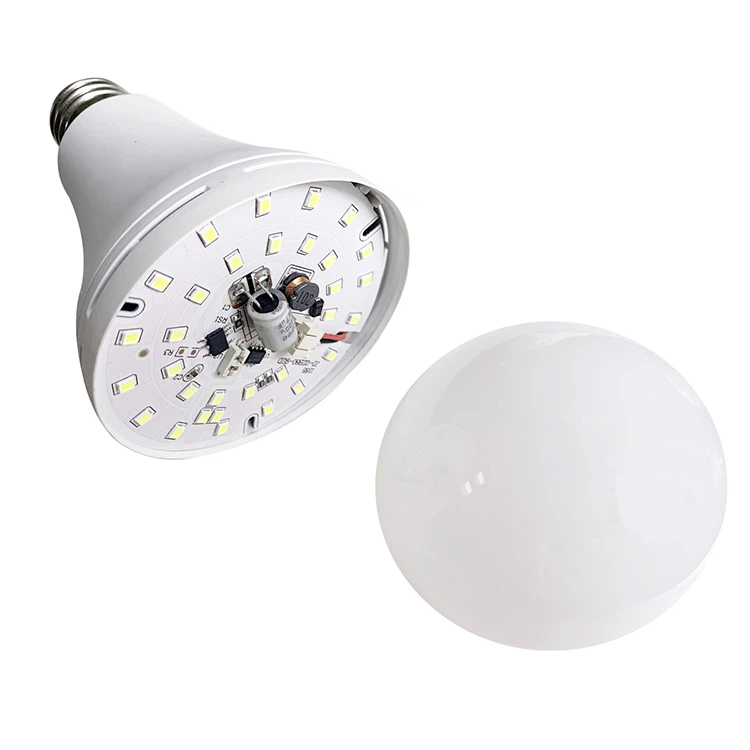
● Built-in battery.
● Fit in any standard E27 socket.
● Use it just like a regular light bulb.
Specification
| Funcation | Rechargeable, Emergency, Flashlight, Lighting |
| Dimension | φ70mm, φ80mm, φ95mm |
| Power | 9W, 12W, 15W |
| CCT | Warm white 3700-3500K, White 5500-6500K |
| Lumen Efficiency | 80-90 lm/w |