Can choosing the right light really double meeting efficiency?
Why Meeting Room Lighting Matters
The value of meeting room lighting goes far beyond simply "illuminating the space." What really matters is how lighting improves meeting efficiency, enhances video call quality, and shapes spatial experience. By elevating the topic from "light fixtures" to "meeting experience," the subsequent selection process becomes more purposeful.
Meetings need visual comfort and focus
The core of meeting room lighting is not "brighter" but "more comfortable and better able to maintain focus." Why does lighting affect meeting quality? Because the human visual system is extremely sensitive to light. During a long meeting or brainstorming session, if the light is uneven – a glaring spot on the table while the sides are dim – the eyes must constantly adjust, quickly leading to fatigue. Excessive brightness causes glare and irritation; insufficient brightness forces participants to lean forward or squint, shifting attention away from the agenda toward visual adaptation. A typical scenario: halfway through a training session, people in the back start rubbing their eyes or looking at their phones, while those in the front frown and try to shield their eyes from overhead light. These are not attitude problems – meeting room lighting is draining their focus. Good lighting should be almost unnoticeable – not harsh, not oppressive, not straining. Only when "comfort" and "focus" are achieved can meeting quality be guaranteed. And these two outcomes naturally lead us to the next requirement: video calls and presentations.
Good lighting supports video calls and presentations
With remote collaboration now the norm, meeting room lighting must serve not only the people in the room but also cameras and screens. Why do video calls and presentations demand better lighting? Because typical ceiling lights often create two classic problems: during video calls, faces appear half bright and half dark, or with unsightly shadows under the eyes; during projection or presentations, glare on the screen makes content hard to see. A simple before/after comparison: before upgrading, remote teams often complained "we can't see expressions clearly – colleagues look tired"; after upgrading, soft, even light illuminates faces and there is no glare on the screen, making presentation content clear at a glance. This shows that video conference lighting and presentation lighting must be multi-tasking – serving the human eye, the camera, and the screen simultaneously. What makes meeting rooms different from ordinary offices is exactly this dual function of two‑way communication and content sharing. Yet in reality, most meeting rooms fail to meet even these basic needs – which leads us to a list of common problems.
Common lighting problems in meeting rooms
If your meeting room frequently shows any of the following symptoms, lighting is already holding you back:
- Glare – Bare tubes or overly bright panels shine directly into the eyes, making participants unconsciously duck or turn their heads, increasing visual fatigue.
- Local over‑brightness or under‑brightness – "Hot spots" on the table: bright areas are glaring, dark areas make documents hard to read, forcing constant eye adjustment.
- Unsuitable color temperature – Cool white (6500K) feels tense and harsh; warm yellow (3000K) makes people drowsy; there is no neutral color temperature suitable for long meetings.
- Poor fixture placement relative to screens – Fixtures installed directly above or in front of screens cause reflections on projection screens, video walls or whiteboards, blocking critical content.
- Inconsistent fixture appearance – A mix of downlights and suspended spotlights looks cluttered, harming the aesthetics and ruining lighting uniformity.
These are not isolated minor issues – glare, color temperature and uniform light summarize 90% of complaints about meeting inefficiency. Because these pain points are so common, more and more designers and facility managers are turning to professional solutions. Is there a single type of luminaire that can systematically address glare, uniformity, color temperature adaptation and fixture placement conflicts? The answer points to LED panel lights.

Why LED Panel Lights Are a Good Fit for Meeting Rooms
In the previous section we listed common meeting room lighting pain points. So, is there a luminaire that can solve glare, uniformity, color temperature adaptation and placement conflicts all at once? LED panel lights are a mature solution designed exactly for this purpose. Below we explain from four dimensions why they are better suited to meeting rooms than downlights, spotlights or ordinary flat panels.
Even light distribution
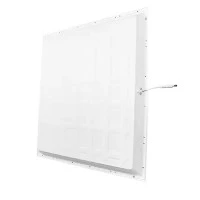
The most defining feature of an LED panel light is its surface‑light source. Unlike point sources such as downlights or spotlights, a panel light uses a light guide plate to convert the point‑light of LED chips into a uniformly diffused surface light. Point sources create sharp hot spots and harsh shadows on desks and faces; a surface light source acts like a soft skylight, spreading light evenly across the desktop, walls and participants' faces. The result: no harsh cut‑lines on the table, no "half‑bright, half‑dark" faces, and no large shadows on whiteboards or writing walls. This even light distribution is especially important for long meetings, reading documents, or examining samples. A simple comparison: under a point source, the shadow of your hand covers your notebook when you write; under a surface light source, shadows virtually disappear. Even light distribution is the foundation of meeting room lighting, and panel lights naturally excel at it. After solving uniformity, the next challenge is glare.
Low glare and clean ceiling look
If uniformity addresses the floor, glare control addresses the eyes. In a meeting room, participants often look up at screens, whiteboards or at speakers – if the ceiling fixtures shine directly into their eyes, the eyes instinctively try to look away, causing fatigue and irritation. LED panel lights use deeply recessed light sources, frosted diffusers and anti‑glare louvers to keep the surface brightness within a comfortable range. From a normal seated position, you see a soft luminous plane, not a row of glaring LED chips. This low glare characteristic directly improves video call quality: the camera no longer loses facial detail because of harsh overhead light, and remote participants can clearly see everyone's expressions. At the same time, when panel lights are recessed or surface‑mounted, they create a flat, clean clean ceiling look, without the uneven "bullet‑hole" appearance of downlights or the visual clutter of suspended fixtures. The cleaner the ceiling, the more modern and professional the space – especially important for client meetings or executive conferences. With both function and appearance addressed, let's look at long‑term value.
Energy efficiency and long lifespan
For buyers and facility managers, beyond performance and aesthetics, a long‑term calculation is essential. LED panel lights excel in energy efficiency and lifespan, making them truly suitable for commercial office projects. Compared to traditional fluorescent grille lights, LED panel lights save more than 50% energy; compared to halogen spotlights, the savings are even greater. More importantly, a quality panel light can last 50,000 hours – at 10 hours of daily use, that is over 13 years. This means extremely low replacement frequency, dramatically reduced maintenance labour costs, and no "starts flickering after one year, half need replacement after three years." For a whole floor or an entire office building with multiple meeting rooms, energy efficiency and long lifespan translate directly into quantifiable operational cost savings. Of course, commercial projects also face a practical question: can panel lights harmonise with existing office interiors?
Easy to match office interiors
Meeting rooms are not isolated "lighting labs"; they must integrate into the overall office aesthetic. LED panel lights are widely used in boardrooms, conference rooms and huddle rooms precisely because of their high compatibility with office interiors. In terms of size, common options include 600×600mm, 300×1200mm, 600×1200mm, etc., matching standard ceiling modules. In colour, white or silver frames fit almost any modern office furniture. In installation, they can be recessed, surface‑mounted or suspended, flexibly adapting to different ceiling heights and decoration styles. Whether a formal boardroom or a casual huddle space, panel lights manage to be "unobtrusive yet supportive of the whole space." They do not overwhelm like industrial pendant lights, nor do they cheapen the look like budget fluorescent tubes. It is this understated yet practical adaptability that makes LED panel lights the default choice for meeting room lighting. So, among the many types of panel lights on the market, what parameters really matter and how do you select the right one for your meeting room? The next section provides a detailed selection guide.
How to Choose the Right LED Panel Light
We have already explained why LED panel lights are suitable for meeting rooms. But the market offers panel lights ranging from tens to hundreds of dollars, and spec sheets are filled with lumens, colour temperature, CRI, UGR… which ones matter and how do you choose? This section breaks down the selection process into six key dimensions.
Choose by room size
The first step is not diving into spec sheets but measuring the meeting room area. Room size determines how many lights you need, what size each should be, and the total light output. A simple guideline:
- Small meeting room (<15㎡, e.g., huddle room): typically 1–2 pieces of 600×600mm panel lights, total lumen output 3000–4000 lm.
- Medium meeting room (15–30㎡, e.g., standard conference room): recommended 4–6 pieces of 600×600mm or 2–3 pieces of 600×1200mm, total lumen output 6000–10000 lm.
- Large meeting room (>30㎡, e.g., boardroom or training room): 6 pieces or more, or using long‑strip panel lights, total lumen output starting at 12000 lm.
It is important to emphasise that a large room cannot be solved simply by "adding more lights" – layout and uniformity matter just as much. The next section (H24) provides a detailed recommendation table; here we focus on the principle: small spaces use 600×600, medium to large spaces use 600×1200 or multiple units. After determining size and quantity, the next question is: how bright?
Choose by lumen output
Many buyers habitually ask "how many watts is this light?" – a common mistake. Wattage represents power consumption, while the real measure of "brightness" is lumen – the total amount of visible light emitted by the fixture. For the same 40W panel light, a low‑efficiency product may deliver only 3000 lm, while a high‑efficiency product can reach 4500 lm or more. If you look only at wattage, you might end up with a light that consumes more electricity yet provides less brightness.
So how many lumens does a meeting room need? According to common office lighting standards, recommended desktop illuminance is 300–500 lux. Rough estimates: small meeting room total 3000–4000 lm, medium 6000–10000 lm, large 12000–18000 lm. If a product lists only wattage and not lumens, skip it. Remember: higher lumens means brighter, but also consider room area and the number of lights. The FAQ later will specifically answer "how many lumens do I need for my meeting room." After determining brightness, the next key parameter affecting "ambiance" and "visual effect" is colour temperature.
Choose by color temperature
Colour temperature, measured in Kelvin (K), determines whether light appears warm/yellowish or cool/bluish. Different colour temperatures directly affect participants' psychological perception and visual clarity:
- Warm white (2700K–3000K): resembles incandescent light – relaxing and cozy, but can induce drowsiness, unsuitable for meetings requiring focus.
- Neutral white (3500K–4500K): resembles natural daylight – clear without being harsh. This is the recommended range for meeting rooms. 4000K is especially popular – it maintains focus without feeling cold.
- Cool white (5000K–6500K): resembles daylight – high contrast and alertness. Suitable for detail‑oriented presentations or video recording, but can cause tension over long periods.
A simple reference:
- Need focus (brainstorming, decision meetings) → 4000K–4500K
- Need comfort (long training, client meetings) → 3500K–4000K
- Need presentation effect (video calls, product displays) → 4500K–5000K
Most meeting rooms choose 4000K as a compromise. If you need flexibility, consider tunable white products. But regardless of colour temperature, there is another parameter that determines "colour accuracy" – CRI.
Choose by CRI
CRI (Color Rendering Index) measures how accurately a light source reveals the true colours of objects, on a scale of 0 to 100. General office lighting requires CRI ≥ 80, but for meeting rooms we recommend CRI ≥ 90. Why?
Because meeting rooms frequently involve:
- Video calls: do skin tones look natural? Low CRI makes faces appear pale or greenish.
- Document or sample viewing: a colour‑coded report, a product colour sample – low CRI distorts colours, leading to misinterpretation.
- Remote collaboration: what the other side sees through the camera depends heavily on the light's colour rendering.
High‑CRI panel lights (Ra ≥ 90) make skin tones more natural, documents clearer, and products more trustworthy. If your meetings involve design reviews, sample approvals or any colour‑sensitive work, demand CRI ≥ 95. After colour rendering, let's look at a meeting‑room‑specific but often overlooked parameter: glare control.
Choose by UGR / glare control
Glare is the number one complaint in meeting room lighting. Even if brightness is sufficient and colour temperature appropriate, if the fixture is directly glaring, participants will feel fatigue, irritation and even headaches. UGR (Unified Glare Rating) is an internationally recognised index for glare – the lower the UGR value, the less glare.
- UGR ≤ 19: practically no glare, suitable for meeting rooms with long meetings.
- UGR 22: acceptable for general offices, but looking up at the light can be uncomfortable.
- UGR ≥ 25: clearly glaring, suitable only for warehouses or corridors.
Why emphasise low glare for panel lights? Because ordinary panel lights without anti‑glare design (louvers, deeply recessed sources, high‑haze diffusers) can have a UGR of 22 or even 25. In contrast, panel lights specifically designed for meeting rooms can achieve UGR ≤ 19 or even ≤ 16. A simple low glare vs standard comparison: under a standard panel light you can still see bright spots from the LEDs at normal seated height; under a low‑glare panel light the entire surface appears as a uniform luminous plane without harshness. When selecting, look for the UGR value in the product specifications and confirm it is ≤ 19. After glare control, there is a hidden requirement – dimming.
Choose by dimming requirement
Meeting rooms are dynamic spaces: morning presentations need full brightness; afternoon brainstorming may benefit from slightly dimmed light to focus on the projection; video recording needs to avoid overexposure; cleaning or after‑hours use only requires low light. If the light has only on/off control, many scenarios become awkward. Dimming allows one light to adapt to multiple states:
- Meeting mode (100% brightness): full brightness for discussion, reading documents.
- Presentation mode (60–70% brightness): slightly lower brightness to make the screen stand out and reduce reflections.
- Video mode (80–90% brightness + soft facial light): ensures even illumination of faces without overexposure.
- Break/cleaning mode (10–20% brightness): energy‑saving and comfortable.
Going further, dimming can be combined with sensors or smart controls for automatic adjustment – lights turn on when someone enters, dim or turn off when the room is empty. For meeting rooms that are booked all day, dimming requirement is no longer a "nice‑to‑have" but a "must‑have". When selecting, confirm whether the panel light supports 0–10V, DALI or PWM dimming protocols, and that dimming is smooth and flicker‑free.
These six dimensions – room size, lumen output, colour temperature, CRI, UGR, dimming – form a complete framework for selecting panel lights for meeting rooms. But for different room sizes, ceiling types and budgets, how do you put it all together? The next section (H24) provides an intuitive specification comparison matrix and scenario‑based recommendation table, so you can follow it directly.

Recommended LED Panel Light Sizes for Different Meeting Rooms
In the previous section we broke down the six selection dimensions: size, lumens, colour temperature, CRI, UGR, dimming. This section translates those parameters into concrete recommendations for different meeting room types. The matrix below covers the four most common meeting room types, from the smallest huddle room to the highest‑end boardroom. Use it as a direct reference.
| Room Type | Recommended Panel Light Size | Quantity / Layout | Total Lumen Output (lm) | Colour Temp (K) | CRI | UGR (≤) | Dimming Recommendation |
|---|---|---|---|---|---|---|---|
| Small huddle room (<15㎡) | 600×600mm | 1–2 (centred or side‑by‑side) | 3000–4000 | 4000 | ≥90 | 19 | Optional |
| Standard meeting room (15–25㎡) | 600×600mm or 600×1200mm | 4×600×600 or 2×600×1200 | 6000–8000 | 4000 | ≥90 | 19 | Recommended |
| Large conference room (25–40㎡) | Mainly 600×1200mm | 4–6 (matrix layout) | 10000–15000 | 4000–4500 | ≥90 | ≤16 | Necessary |
| Boardroom (≥30㎡, high‑end) | 600×1200mm or custom size | 6+, or cove/indirect combination | 12000–18000 | 3500–4000 (tunable) | ≥95 | ≤16 | Mandatory (0–10V/DALI) |
Below are detailed notes for each scenario.
Small huddle room
Small huddle rooms are typically used for 2–6 people for quick discussions or remote syncs. The space is small, but lighting demands are not low – because cameras often shoot at close range, any uneven light is magnified on faces. Recommended: 1–2 pieces of 600×600mm panel lights, total lumen output 3000–4000 lm. For a nearly square room, one centred unit works; for a rectangular room, two side‑by‑side are better. Installation: recessed or surface‑mounted to keep the ceiling clean. Typical use case: team stand‑ups, quick remote syncs. Avoid large‑size panel lights (e.g., 600×1200mm) which can make a small space feel oppressive.
Standard meeting room
This is the most common meeting room type, seating 6–12 people for daily project discussions, department meetings and training. Two main recommendations:
- 4 pieces of 600×600mm panel lights in a 2×2 matrix.
- 2 pieces of 600×1200mm panel lights mounted parallel to the long table, recessed or suspended.
Total lumen output 6000–8000 lm ensures desktop illuminance of 400–500 lux. Fixed 4000K colour temperature is the safest choice, balancing focus and comfort. CRI ≥ 90 and UGR ≤ 19 are hard requirements, because video calls and document reading are frequent. Dimming (at least 0–10V) is strongly recommended to lower brightness during presentations. This configuration is the highest‑value "main recommendation" in the entire guide.
Conference room
Large conference rooms are used for cross‑departmental reports, client presentations and remote board meetings, seating 12–20 people. Larger spaces demand higher uniformity and stricter glare control. Recommended: 600×1200mm panel lights as the primary choice, in a 2×2 or 2×3 matrix (4–6 units), total lumen output 10000–15000 lm. Colour temperature can be slightly higher (4000–4500K) to enhance presentation clarity. Most critically, UGR ≤ 16 – because participants sit spread out, their gaze frequently sweeps the ceiling, and any glare will be noticed. Dimming becomes "necessary", preferably DALI or 0–10V with scene presets (presentation mode, video mode, full brightness mode). Additionally, these rooms often have projection screens or interactive displays; fixtures should avoid the 30° zone directly in front of screens.
Boardroom
The boardroom is the face of the company – lighting must not only function well but also convey professionalism and brand image. Such spaces are often ≥30㎡ but may seat only 8–12 people (large table, generous spacing). Recommended:
- 600×1200mm panel lights or custom sizes (e.g., 300×1200mm slim strips) combined with indirect cove lighting.
- Six or more units, possibly supplemented with light strips to create layering.
- Total lumen output 12000–18000 lm, but often used at dimmed levels.
Colour temperature recommendation: 3500–4000K tunable white – formal decision meetings can use slightly warmer (3500K) to reduce tension, while remote video calls can be set to 4000K for natural skin tones. CRI ≥ 95 is mandatory, as boardrooms often review annual reports, design proofs, product samples – colour‑sensitive content. UGR ≤ 16 with deeply recessed sources or louvers ensures no discomfort when looking up. Dimming must be smooth and flicker‑free, ideally integrated with a smart control system (e.g., DALI‑2) with presets for "decision meeting", "video call", "break" and more. The luminaire appearance should also harmonise with high‑end interiors – slim bezel, frameless or wood‑trimmed panel lights.
These four scenarios cover 90% of meeting room needs. If your project falls between two categories, follow the "upward compatibility" principle: if the area is closer to the larger category, or if usage frequency is high or the client is important, choose the stricter specifications. Next, we compile the most frequently asked questions about selection into an FAQ, directly answering "how many lumens are enough", "how to check UGR", "how to wire dimming", etc.
Recessed, Surface‑Mounted, or Suspended?
Choosing the right panel light specifications is only half the work. The same panel light can be recessed into the ceiling, surface‑mounted, or suspended. These three installation methods directly affect spatial feel, construction cost and future maintenance. This section helps you decide: which installation method fits my ceiling and project?
Recessed installation
Recessed installation means the panel light is set into the ceiling, flush with the ceiling surface. When is it suitable? Three conditions:
- A suspended ceiling that can be cut: typically plasterboard, mineral fibre or aluminium‑strip ceilings. There must be sufficient tee spacing and plenum depth (usually ≥80mm) to accommodate the fixture body.
- A clean, minimalist look is desired: the fixture disappears into the ceiling, with no protrusions or hanging elements – visually the cleanest. Suitable for modern office styles and spaces that need "understated but professional" lighting.
- New construction or full renovation: recessed installation requires holes to be cut during ceiling installation, and is less suitable for already finished rooms (unless local cutting and repair is acceptable).
Best for: standard office suspended ceilings, new projects, spaces with high demands for ceiling cleanliness.
The advantage of recessed installation is a visually unified look and no extra height usage; the disadvantages are that the ceiling must be cut and future maintenance requires removing the fixture. If the ceiling cannot be cut (e.g., exposed concrete slab or finished plasterboard that cannot be altered), then surface‑mounting should be considered.
Surface‑mounted installation
Surface‑mounted installation means the panel light is fixed directly onto the ceiling surface without any cutting. When is surface‑mounting more appropriate?
- Ceiling structures that cannot be cut: such as concrete slabs, exposed industrial‑style ceilings, or already finished ceilings where damage is not allowed.
- Retrofit projects: the existing meeting room has no recessed lighting provisions – surface‑mounting is the fastest, lowest‑cost solution. No ceiling work is required; simply run surface wiring and fix the fixtures.
- Spaces with low ceiling height: recessed installation requires fixture thickness (typically 30‑50mm) plus plenum space, whereas ultra‑thin surface‑mounted panel lights are only 15‑25mm thick, actually using less headroom.
Note that surface‑mounted fixtures protrude from the ceiling, visually less clean than recessed. However, modern ultra‑thin panel lights with bezels as narrow as 10mm can achieve a near "glued‑to‑ceiling luminous panel" look, greatly improving aesthetics. Best for: retrofits, non‑suspended ceilings, fast deployment.
If ceiling height is generous and a more design‑oriented meeting space is desired, suspended installation is another option.
Suspended installation
Suspended installation means the panel light is hung from the ceiling using wires or rods, with a visible gap between the fixture and the ceiling. When is suspended installation better for a meeting room?
- High ceiling height (≥3m): if the ceiling is more than 2.8m above the desktop, recessed or surface‑mounted lights can feel "floating" and light output decays with distance. Suspended lights bring the light source closer to the desktop (typically 2.2‑2.4m above floor), improving efficiency and visual focus.
- Design expression is desired: suspended panel lights (especially slim‑wire, ultra‑thin bezel models) become design elements on the ceiling. Arrays of multiple suspended lights can reinforce a sense of ceremony and modernity. Common in boardrooms and modern office open meeting areas.
- Acoustic needs: some suspended panel lights can integrate acoustic materials (e.g., felt side panels or back covers), solving both lighting and reverberation issues – valuable for large meeting rooms or training rooms.
Note that suspended installation consumes vertical space; rooms with ceiling height below 2.6m are not suitable (risk of head bumping or feeling oppressive). Also, suspension requires embedded anchors in the ceiling, making installation slightly more complex. Best for: high spaces, design‑driven projects, meeting rooms requiring acoustic treatment.
Each of the three methods has its use cases, but in real projects people often wonder "what exactly is my ceiling situation?" The following comparison table and decision process help you make the final choice.
How to choose based on ceiling structure
| Ceiling Type | Recommended Installation | Reason |
|---|---|---|
| Suspended ceiling (plasterboard/mineral fibre/aluminium), new project | Recessed | Cleanest look; holes can be prepared in advance |
| Suspended ceiling, but already finished and no cutting allowed | Surface‑mounted | No damage, fastest construction |
| No suspended ceiling (exposed concrete / open structure), industrial style | Surface‑mounted or suspended | Surface‑mounted is clean; suspended can be a design focal point |
| Ceiling height ≥3.0m, modern office style | Suspended | Lowers light source, enhances spatial layering |
| Retrofit, limited budget | Surface‑mounted | Lowest cost, no ceiling structure modification needed |
| High‑end boardroom requiring acoustic treatment | Suspended (acoustic‑integrated) | Lighting + sound absorption in one, professional and aesthetic |
Decision process (three steps):
- Check ceiling structure: suspended ceiling and can be cut → recessed; suspended ceiling but cannot be cut → surface‑mounted; no suspended ceiling → surface‑mounted or suspended.
- Check ceiling height: <2.6m → recessed or surface‑mounted (avoid suspended); ≥3.0m → consider suspended.
- Check project nature: new project → recessed; retrofit → surface‑mounted; design‑showcase project → suspended.
After deciding the installation method, several common mistakes in actual construction and procurement can still trip you up – wrong cutout size, surface‑mounted fixtures blocking fire sprinklers, incorrect suspension wire length, etc. The next section lists the 5 most common meeting room lighting mistakes to help you avoid them.

Common Mistakes to Avoid
Even with the right specifications and installation method, real projects still frequently run into pitfalls. These mistakes range from harming meeting experience to causing rework and increasing costs. Below are the five most common mistakes, helping you avoid them in advance.
Choosing only by wattage
The most widespread mistake in procurement: asking "how many watts is this light?" and assuming higher wattage means brighter. Wattage represents power consumption, not brightness directly. For the same 40W panel light, a low‑efficacy product may deliver only 80 lm/W (total 3200 lm), while a high‑efficacy product can reach 120 lm/W (total 4800 lm) – a 50% difference in brightness. If you look only at wattage, you may buy a light that consumes more electricity yet is dimmer.
The correct approach: first determine the total lumen output your meeting room needs (refer to the table in H24), then choose a product with sufficient efficacy. Remember: look at lumens, not watts. This mistake was mentioned in H23; we reiterate it here: any product that does not list lumens should be skipped immediately.
Ignoring glare in video meetings
Glare is uncomfortable in general offices, but in meeting rooms it directly ruins meeting effectiveness. Why? Because meeting rooms add cameras and screens.
Imagine this scenario: you sit at the table under a standard panel light with UGR 22. You yourself might think "it's okay, not too glaring". But what your remote colleagues see through the camera is: your forehead and cheekbones are overexposed and whitened, while your eye sockets and chin are deep in shadow – facial expressions are lost. At the same time, if you stand up to write on a whiteboard and look up, that same light is right in your line of sight, forcing you to squint. During a projection, glare creates a "veil" on the screen, reducing contrast.
Glare in meeting rooms is not just uncomfortable – it directly degrades video calls and presentations. Solution: choose panel lights with UGR ≤ 19, ideally ≤ 16. If you already have high‑glare fixtures, add louvers or diffusers as a temporary fix.
Using too cold or too warm color temperature
Wrong colour temperature spoils the meeting room atmosphere. Two common extremes:
- Too cold (6500K and above): light appears blue, like an operating theatre or warehouse. Participants feel tense and harsh; skin tones look pale or greenish. During video calls, the camera's white balance is thrown off, making the whole picture cool.
- Too warm (3000K and below): light appears yellow‑orange, like a coffee shop or living room. Although cozy, it can make people relax to the point of drowsiness. In long afternoon meetings, warm light significantly reduces focus and can even cause drowsiness.
The recommended range for meeting rooms is 3500K–4500K. Among these, 4000K is the most versatile, balancing clarity and comfort. If the project needs flexibility, tunable white products (2700K–6500K) are available, but for daily use we recommend locking around 4000K. Don't choose extreme colour temperatures based on personal preference; consider meeting function.
Not checking ceiling compatibility
You choose the lights, but at installation you find the ceiling conditions don't match – this is a major source of rework. Common problems:
- Cutout size mismatch: you bought 600×600mm recessed panel lights, but the ceiling grid spacing is only 595mm, or the plenum depth is less than 80mm so the fixture won't fit.
- Insufficient load capacity: suspended panel lights (especially large sizes or those with acoustic backs) can weigh 5–10kg. If the ceiling is only light steel framing with plasterboard and no embedded anchors, forced suspension will crack the ceiling.
- Surface‑mounted lights block fire or HVAC elements: surface‑mounted fixtures fixed directly to the ceiling may block sprinkler heads, smoke detectors, air diffusers or access panels, violating fire codes.
- Using recessed lights in a non‑suspended ceiling: exposed concrete slab cannot be cut, but you bought recessed lights – they will have to be returned or converted to surface‑mount brackets, adding cost.
Before installation, you must confirm: ceiling type, cutout dimensions, plenum depth, load capacity, and locations of fire/HVAC equipment. For retrofit projects, on‑site measurement or photos sent to the supplier are recommended. We provide project support to help verify ceiling conditions and avoid rework.
Forgetting dimming needs
Many meeting rooms are finished only to find that full brightness is too glaring during presentations, faces are overexposed during video calls, and there is no low‑light option for after‑hours cleaning. The reason: no dimming capability was planned.
Meeting rooms are not "always full brightness" spaces. Different usage states require different brightness levels:
- Discussion/reading → 100%
- Projection/presentation → 60–70% (reduces screen reflections)
- Video call → 80–90% (ensures even facial illumination)
- Break/cleaning → 10–20%
If the lights do not support dimming, you can only resort to "turning off some lights" – but that results in uneven brightness, making things worse. Dimming is not a luxury; it is a practical function. We recommend at least 0–10V dimming drivers with wall rotary controls or scene panels. For more advanced integration, connect to smart control systems for scheduled or sensor‑based automatic dimming.
Ignoring dimming needs is the most common "regret" after a project is completed. Plan ahead – the cost increase is small, but the improvement in user experience is huge.
These five mistakes cover the typical pitfalls from selection to installation. Avoiding them means 80% of your meeting room lighting project is already successful. If your project has special requirements (very high ceilings, curved walls, custom colour temperature or smart control), the next section offers custom solutions and frequently asked questions – please contact us directly for one‑on‑one support.

Custom LED Panel Light Options for Projects
Standard specification panel lights can cover 80% of meeting room requirements. But some projects – especially headquarters of brands, high‑end office buildings or chain enterprises – demand higher consistency, spatial adaptation or smart experience. In these cases, customisation becomes key. The four customisation capabilities below help you elevate meeting room lighting from "sufficient" to "precisely matched".
Custom size
Standard panel light sizes are mainly 600×600mm, 600×1200mm, 300×1200mm. But real projects often encounter non‑standard ceiling modules (e.g., 625×625mm or imperial sizes), unusual narrow strip areas, or curved/irregular ceilings. In these cases, custom size is the only solution.
Typical scenarios:
- A corporate headquarters meeting room uses 750×750mm plasterboard ceiling details – standard 600mm panel lights would leave unsightly gaps.
- A narrow space above a long glass partition requires 200×1200mm ultra‑slim panel lights to be recessed.
- An entire office floor wants to unify the design language, with all fixtures having a consistent width of 450mm.
Custom sizes can achieve lengths from 300mm to 2400mm freely, widths from 150mm to 900mm, and thickness can be reduced to 15mm or less. Suitable for OEM projects or large‑scale commercial batch supply. If you encounter a situation where standard sizes cannot fit, we provide made‑to‑order tooling or cut‑to‑size customisation.
Custom color temperature
Although 4000K is the general recommendation for meeting rooms, some projects require exact alignment with brand identity or interior design. For example:
- A retail brand's headquarters meeting room requires a consistent 3500K throughout the space to match the warm wood finishes in the showroom and corridors.
- A high‑end law firm's boardroom chooses 3000K to complement walnut wall panelling and leather seating, emphasising calm and privacy.
- A medical or design institution's review room needs 5000K high colour temperature for the most critical judgement of colours and details.
Custom colour temperature can be locked to any specified value (e.g., 3500K, 4500K, 5000K) with tolerance within ±100K. We also offer tunable white products (2700K–6500K) that, together with a control system, allow simultaneous adjustment of brightness and colour temperature. For chain enterprises or cross‑border projects, colour temperature customisation ensures consistent light environments across different floors and different cities.
Custom dimming or smart control
Dimming has moved from "nice‑to‑have" to a basic requirement for many projects. Customisation goes further: deeply integrating lighting control with meeting room systems, building automation, or user habits.
Common customisation requirements include:
- Scene presets: one‑button switching between "presentation mode" (lights over screen dim to 30%, table area 60%), "video mode" (even facial illumination, no overhead glare), "full brightness mode" (100% for cleaning or setup).
- Sensor integration: occupancy and daylight sensors – lights turn on when people enter, fade off when vacated, or automatically compensate based on natural light from windows.
- Third‑party protocol integration: support for DALI‑2, Zigbee, KNX or Bluetooth Mesh, directly interfacing with Crestron, Control4, Tuya, etc.
- Meeting system integration: when the room booking system detects a meeting start, lights automatically switch to a preset scene; after the meeting ends, they turn off with a delay.
For commercial projects requiring smart control, we offer complete custom solutions from drivers and controllers to system integration – not just the phrase "dimmable".
OEM / ODM support
For integrators, design firms or brand owners, beyond product function there is a need to display their own identity or technical specifications on the luminaire. OEM/ODM support upgrades you from "buyer" to "solution owner".
We offer:
- OEM (private label): your brand logo, product model and specifications printed on the panel light housing, bezel or packaging. The fixture's appearance can be customised to your corporate colour (e.g., bezel painting to a specific Pantone).
- ODM (original design manufacturing): from mechanical structure to optical design and driver circuit, we develop an exclusive model according to your technical requirements. Including ultra‑thin design, frameless styling, special cutouts, custom colour temperature/CRI combinations, etc.
- Project exclusivity: for large chain enterprises or landmark projects, we offer model exclusivity to ensure the same specification is supplied only to that client.
Whether a high‑end boardroom requiring dozens of units or a corporate campus project needing thousands, OEM/ODM helps you build product differentiation and project barriers.
The customisation options above are based on proven manufacturing capabilities and engineering cases. If you have specific project needs – whether a non‑standard ceiling drawing or a complete smart meeting room system integration – please contact us directly for technical solutions and quotes. Next, we answer the 8 most frequently asked questions about selection to further eliminate any remaining doubts before purchase.
FAQ
Below are the 8 most frequently asked questions about meeting room lighting selection. The answers are short and direct, helping you quickly resolve final doubts before making a decision.
Questions and answers
1. What size panel light should I use for a small huddle room?
600×600mm, 1–2 units, total lumen output 3000–4000 lm. See the recommendation table in H24.
2. Should I choose 4000K or 5000K for a meeting room?
Prefer 4000K. It balances clarity and comfort for most meeting scenarios. 5000K is cooler and can be used for professional review rooms where colour judgement is extremely critical, but it is not recommended for everyday meetings.
3. What UGR value is suitable for video meetings?
UGR ≤ 19 is the minimum; UGR ≤ 16 is excellent. Low glare ensures that the camera captures clear facial details without overexposure or harsh shadows.
4. The ceiling is already finished – can I still install recessed panel lights?
Yes, but you will need to cut holes on site and confirm that the plenum depth is sufficient (typically ≥80mm). If you do not want to damage the ceiling, switch to surface‑mounted panel lights for faster installation.
5. What dimming protocols do panel lights support?
Common ones include 0–10V, DALI, DALI‑2, PWM, Zigbee, etc. 0–10V offers the best cost‑performance; DALI is suitable for large projects and system integration. When selecting, confirm that the driver matches the controller.
6. Can you customise non‑standard sizes or special colour temperatures?
Yes. We support customisation of size, colour temperature, CRI, bezel colour, etc., for OEM/ODM projects. Minimum order quantities depend on specifications. Please provide drawings or requirements for discussion.
7. What certifications do panel lights need?
Depending on the target market: for the EU, CE and RoHS; for North America, UL and DLC; for domestic Chinese projects, CCC or CQC are common. For meeting room projects, we recommend products that provide anti‑glare (UGR) test reports.
8. What is the lead time for bulk orders?
Standard specifications typically 7–15 days. Custom size or OEM projects require 20–30 days (including tooling, sampling, mass production). Expedited schedules can be discussed for urgent projects.
These FAQs cover the key points from selection to procurement. If your project has more specific needs – such as on‑site measurement support, custom samples, or lighting design for a whole floor of meeting rooms – please contact us directly. The next section provides a clear call to action and contact information.
Request a Quote / Download Catalog
You have now learned about meeting room lighting selection logic, common mistakes, customisation capabilities and frequently asked questions. If you have a concrete project to execute, here are three direct next steps.
CTA
Choose the action that suits you:
- 📥 Download product catalog – Get complete panel light specification sheets, photometric curves, UGR test reports and installation guides.
- 💰 Request a project quote – Submit your meeting room dimensions, quantity and customisation requirements; receive a preliminary quote within 24 hours.
- 🧑🔧 Contact technical support – For non‑standard ceilings, smart control or OEM projects, one‑on‑one engineering assistance for solution design.
👉 Click the buttons below to go to the corresponding page.
Our factory & quipment
Lorem ipsum dolor sit, amet consectetur adipisicing elit.


Contact form
For quick quoting or technical inquiries, please provide the following information (the more detailed, the faster we can respond):
- Number of meeting rooms and area per room (㎡)
- Required quantity (units)
- Special requirements (size/colour temperature/dimming/UGR/certification/delivery time)
- Your name, email, phone number
We will reply within one business day. For formal drawings or custom prototyping, please upload attachments or note them directly.
📮 Form submission area 👉 bwzm88@benweilighting.com /whatsapp:+8613007285242
Sample request
Before committing to a bulk order, verifying product performance in real conditions is the safest approach.
We can provide:
- Standard sample – regular specifications (e.g., 600×600mm, 4000K, UGR ≤ 19) for functional testing and effect evaluation.
- Custom sample – made to your project's non‑standard size, special colour temperature or OEM branding, for project pre‑acceptance or display.
- Project evaluation kit – for large projects, we can supply multiple lights + drivers + controllers to build a real meeting room test environment.
Sample costs can be deducted from the final bulk order. Simply submit a sample request with your project background, and we will prioritise processing and arrange shipment.
This guide covers the entire journey from "why meeting room lighting matters" to "how to procure and implement". If you have any remaining questions, please feel free to contact us through the methods above.