Installation Guide: PX24500 RGB LED Tape with Wall Controller
Tools & Materials You Will Need:
PX24500 RGB Controller
Wall Controller
CAT5/Network Cables
2-Core Power Cable
Flat-Head Scredriver
Wire Cutters

Step-by-Step Instructions:
Connect the RGB Tape:
Loosen the terminals on the PX24500 controller.
Insert the wires from your RGB LED tape into the correct ports:
Black to V+
Red to R
Green to G
Blue to B
Tighten the terminals to secure the wires.

Connect the Power Cables:
Locate the power input terminals on the PX24500.
Insert your 2-core power cable into the + (Positive) and – (Negative) terminals and tighten them.

For Multiple Controllers: Daisy-chain the power cables from one unit to the next. Ensure one free cable remains to connect to the main power supply later.

Prepare the CAT5 Cable:
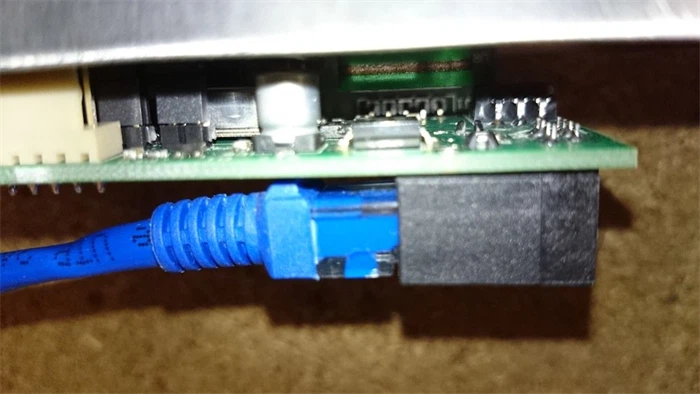
Take one CAT5 cable and strip the plastic connector from one end to expose the individual wires.
Connect the Wall Controller:
Insert the prepared end of the CAT5 cable into the designated slot on the back of the Wall Controller.
Link the Controller to the Power Pack:
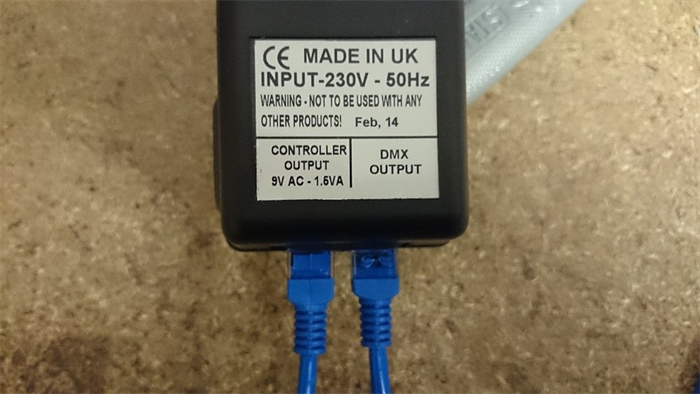
Plug the other end of the CAT5 cable (from the Wall Controller) into the "Controller" port on the PX24500.
Then, take a second CAT5 cable and plug it into the "DMX Output" port on the PX24500.

Daisy-Chain Multiple Units (If Applicable):
To connect additional PX24500 units, run the CAT5 cable from the first unit's "DMX Output" to the bottom "DMX IN" port on the next unit.
Continue this chain, with the final unit in the chain having an empty top "DMX OUT" port.
Power Up the System:
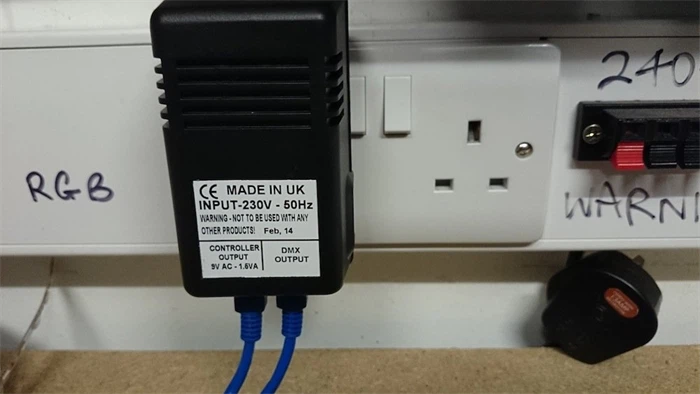
Plug the PX24500 power pack into a mains power socket.
Finally, connect the free end of your 2-core power cable to your LED power supply.

Completion:
Your RGB LED tape should now illuminate. Use the Wall Controller to select colors, change modes, and adjust the lighting to your preference.