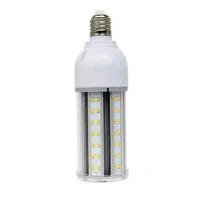
If you are having trouble with your LED smart bulb, resetting it may be the solution. Here are some steps on how to reset an LED smart bulb:
Step 1: Turn off the light switch that controls the smart bulb.
Step 2: Wait for 10 seconds before turning the light switch back on.
Step 3: Turn the light switch on and off three times.
Step 4: The bulb will then flash on and off to indicate that it has been reset.
If this method doesn't work, you can try the following steps:
Step 1: Turn off the light switch that controls the smart bulb.
Step 2: Wait for 10 seconds before turning the light switch back on.
Step 3: Turn the light switch on and off five times quickly.
Step 4: The bulb will then flash on and off to indicate that it has been reset.
If your LED smart bulb is still not resetting, you may need to consult the manufacturer's instructions or contact their customer support for more help. It's always best to follow the recommended steps to ensure that your LED smart bulb is working correctly.
In conclusion, resetting an LED smart bulb can be a quick solution to any issues you may be experiencing with your light. Follow the steps outlined above to reset your bulb and get back to enjoying the benefits of your smart home technology.