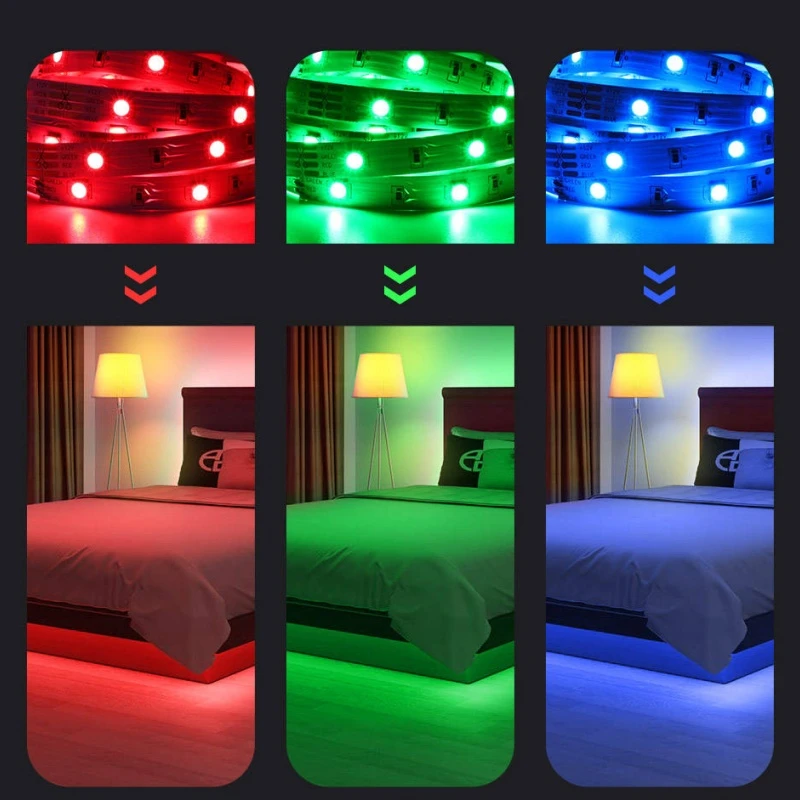

Walk into any gaming room on YouTube or Twitch these days and you'll notice the same thing - a soft wash of color glowing behind the monitor, along the desk edge, or up the wall. That's not just for the camera. More and more gamers are asking whether RGB LED strips are actually worth adding to their setup, or if it's just a trend that looks good on stream but does little else. Short answer: for most gaming rooms, a well-chosen RGB strip does more than decorate - it changes how the space feels to play in. Let's break down why, and what actually matters when picking one.
What Makes RGB LED Strips a Good Fit for Gaming Rooms
Gaming rooms usually deal with a specific lighting problem: a bright monitor in an otherwise dark or dim room. That contrast is exactly what eye doctors and display engineers warn about - it's called "bias lighting" in the display industry, and it's one reason TV studios and editing suites always keep a soft light behind the screen.
An RGB LED strip placed behind or around the monitor solves this directly. It's flexible, thin enough to hide behind a display stand or monitor arm, and low-voltage enough to run safely for hours without generating much heat. Compared to a floor lamp or ceiling fixture, it gives targeted, adjustable light exactly where the eyes need relief - not scattered across the whole room.
The Real Benefits, Beyond Looks
Reduced eye strain during long sessions. Bias lighting behind the screen narrows the brightness gap between the display and its surroundings, which is genuinely easier on the eyes during multi-hour sessions - this isn't just marketing language, it's a documented display-ergonomics practice.
Lighting that reacts to what's happening. Many RGB strips now sync with music, game audio, or even in-game events through software like Razer Chroma or similar ecosystems. It's a small touch, but it does add to immersion in a way static lighting can't.
Flexible layout, minimal footprint. Unlike a lamp that takes up desk space, an adhesive-backed strip tucks along the back of a desk, under a shelf, or around a monitor frame. For anyone working with a small or shared room, that matters more than it sounds.
Mood control without extra hardware. Dimming, color temperature, and scene switching are usually handled through one app or remote, so a single strip can go from a calm blue for late-night sessions to a punchier color scheme for competitive play.
Things to Check Before You Buy
Not every RGB strip is built the same, and a few practical details decide whether it actually works well in a gaming setup:
Addressable vs. non-addressable: Addressable strips (like WS2812B or SK6812 types) let each LED show a different color, which is what makes chase effects and music-reactive patterns possible. Non-addressable strips only change color as one solid block - simpler, but less dynamic.
Voltage and power draw: Most strips run on 5V (for addressable, USB-powered types) or 12V/24V (for longer runs). Longer setups pulling from a wall adapter need a power supply sized for the strip's actual length, not just the label wattage.
Control method: App-based control (Bluetooth or Wi-Fi) tends to offer more scenes and sync options; RF remotes are simpler and don't rely on a phone. Worth matching this to how the user actually wants to adjust it day to day.
Adhesive and mounting: Desk backs and monitor arms see a lot of vibration and occasional bumps, so a strip with strong 3M-grade adhesive or included mounting clips holds up better than a cheap adhesive backing that peels after a few months.
Cuttable and connectable sections: A gaming desk rarely matches strip lengths perfectly. Strips with marked cut lines and connector compatibility make it much easier to fit odd corners or extend into new runs later.
How to Pick the Right Strip for a Gaming Setup
For a single monitor, a short addressable strip (roughly 1–2 meters) with USB power is usually enough for bias lighting and basic sync effects. For a full desk or wall setup - behind a PC case, along a shelf, or around a room's perimeter - a 12V or 24V strip with a dedicated power supply handles longer runs more reliably.
If music or game-audio sync matters, it's worth confirming compatibility with the control software already in use, since not every strip supports every ecosystem. And for anyone sensitive to flicker on camera (streamers especially), a strip with a stable, high-frequency PWM driver avoids the banding effect that shows up in recorded video.
Summary
RGB LED strips aren't just a decorative trend for gaming rooms - used correctly, they address a real problem (screen-to-room brightness contrast) while adding flexibility that traditional lighting can't match. The value comes down to picking the right type: addressable or not, the right voltage for the run length, a control method that fits daily use, and mounting hardware built to last on a desk that gets bumped often. Get those details right, and the lighting stops being an accessory and starts being part of how the room actually functions.
If you are selecting RGB LED strips for clients or your own brand, please feel free to share your specific application scenarios, length requirements, or technical specifications with us. We can provide product recommendations, samples, or customized solutions tailored to your project needs-please feel free to send us an inquiry at any time.
https://www.benweilight.com/lighting-tube-bulb/rgb-led-blub/digital-rgb-led-strip.html