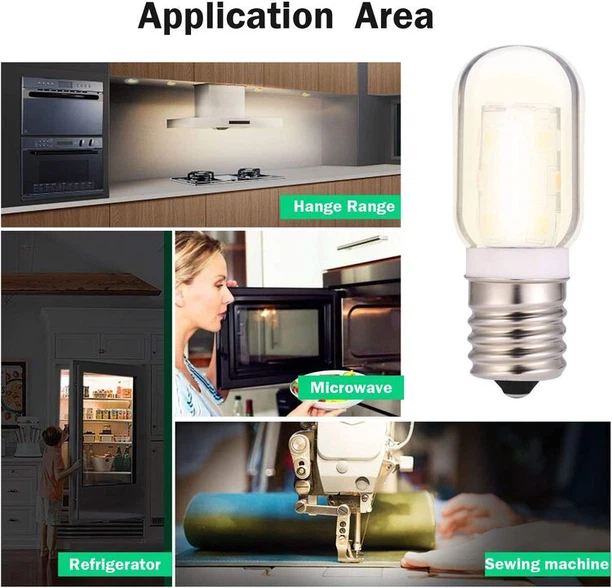
Use the microwave's light to keep an eye on your food while it cooks and make sure nothing boils over. Even though it is not necessary for the microwave to function, if the light is broken, you should probably try to repair it right away. It is virtually as simple to replace the microwave light bulb as it is to change a desk lamp bulb, but you must take extra caution to avoid touching it if it is located close to the high-voltage capacitor.
Thankfully, we provide assistance in the form of this thorough five-step approach. To learn how to change a microwave light bulb, continue reading.
Safety Notice
Fixing a microwave is somewhat riskier than fixing the majority of other home equipment. The voltage required to microwave food is provided by a high-voltage capacitor in microwaves. The high-voltage capacitor may store an electric charge that, if handled, might badly harm or even kill a person. The high-voltage capacitor in a microwave may continue to hold an electrical charge for weeks after the power has been turned off, unlike the majority of other appliances where just turning off the power would prevent you from becoming electrocuted.
Depending on the kind of microwave, you may be able to get to the light bulb without taking off the appliance's cover and revealing the high-voltage capacitor. The safest course of action is to hire a qualified microwave repair professional to replace the bulb if you do need to remove the casing to reach it.
If you want to change the bulb yourself, be sure to unplug the microwave for as long as you can (at least 24 hours) and make sure not to touch the high-voltage capacitor. If you have adequate appliance repair skill, you may rapidly discharge the capacitor by pressing the metal blade of a flat-edged screwdriver with good insulation to the capacitor. Be advised that discharging the capacitor often causes a jarring "pop" sound.
How to change the light bulb in a microwave
1. Get a fresh bulb
Making ensuring the new bulb has the same characteristics as the original is crucial. For instance, installing a bulb with a greater wattage than the existing bulb may cause harm to the microwave due to the additional heat. The exterior of the device, often on the rear, is generally emblazoned with the microwave's characteristics. You should also find out what sort of new bulb you need to buy in the microwave's instructions.
2. Reach the lightbulb
The placement of the bulb varies depending on the kind of microwave you have, as stated in the safety warning above. You should be able to figure out how to reach the bulb by noting where the microwave light is situated. You may need to remove the microwave grill, the microwave shell, or an access panel beneath the microwave, depending on the model.
Often, the screws holding the casing, grill, or bulb access panel in place may be removed with a Phillips-head screwdriver. Be careful to read the safety warning above before removing the microwave's case. The bulb could have a cover over it that can be pulled off or unscrewed once the relevant panel has been removed.
Before accessing the light bulb and removing any panels, be careful to turn off the microwave. Moreover, if the case has to be removed, ensure sure the high-voltage capacitor is completely depleted before moving on. Using work gloves is also advised while changing the bulb since microwaves often contain parts with sharp edges.
3. Take away the bulb
Depending on the model of microwave you have, you may need to remove the bulb. Some microwaves come with a lightbulb that can be removed and changed much like a regular lightbulb. Some microwaves feature a bulb that requires removal of mounting screws and the disconnection of connecting wires.
A Phillips-head screwdriver may often be used to remove any mounting screws that the bulb may have. Be cautious not to drop the mounting screws or the bulb as they might land in a hazardous or challenging-to-reach area. If the bulb has connection wires attached, the wires may be cut using needle-nose pliers.
The bulb will probably have silicon connected to it if it hasn't already been replaced; this silicon serves to secure the bulb while the microwave is being moved. The silicon may be gently sliced with a utility knife so that the bulb can be taken out.
4. Insert the fresh bulb.
Installing a new bulb should be simple if the old one can be screwed in. If the microwave has that kind of bulb, it should also be simple to rejoin the connecting wires and tighten the mounting screws.
Ensure sure the bulb is well fastened; otherwise, you could discover that it is inoperative.
5. Put together the microwave
The microwave's access panel, grill, or casing may now be screwed back on when the bulb has been inserted.
Afterwards you may reconnect the electricity and make sure the new bulb is operating properly. If the bulb doesn't function, it may not be correctly fastened, the light socket could be broken, or the control board might be malfunctioning.
You may take the light socket out of the microwave and check its continuity using a multimeter (a continuous electrical path). The light socket must be changed if it lacks continuity. While control board issues are rare, if the board shows evidence of burning or other damage, it could need to be replaced to resolve the problem.