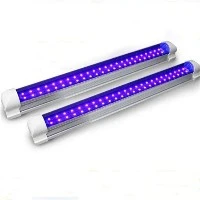
Why Your T5 LED Tube Overheats During Testing (And How to Fix It)
You've purchased new Type B, single-ended T5 LED tubes, designed for direct AC mains connection. The specs say "AC85-265V," so you grab some alligator clips, connect them to your 120V power source, and... within minutes, the tube becomes alarmingly hot. What's going on? Is the tube faulty?
Don't discard your new lights just yet. In over 99% of such cases, the problem is not the LED tube itself, but a critical error in the testing method. This guide will diagnose the true culprit and provide a professional solution.
The Root Cause: It's Not the Tube, It's the Test
The scenario described-overheating during alligator clip testing-is a classic case of "The Bottleneck Effect." The issue lies not within the tube's integrated driver, but at the point where you introduce power: the alligator clips themselves.
When you use alligator clips directly on the tube's pins, you create a perfect storm for generating excessive heat due to two key factors:
1. Massive Contact Resistance
A Real-World Analogy: Imagine trying to drink a thick milkshake through a very thin, pinched straw. You have to suck much harder, and your effort turns into heat in your cheeks. Similarly, electricity faces resistance when forced through a poor connection.
The Science: In a proper installation, the tube sits in a socket with broad, spring-loaded contacts, creating a large, low-resistance connection. Alligator clips, however, make a point contact or a tiny line contact with the round pins. This small area creates a high electrical resistance.
The Heat Calculation: According to Joule's Law (P = I²R), power (and thus heat) generated at a point is proportional to the square of the current and the resistance.
For a 20W tube at 120V, current (I) is about 0.17A.
A poor alligator clip connection can easily introduce 5-10 ohms of resistance (R).
Power Dissipated as Heat = (0.17A)² * 5 Ω = ~0.14 Watts.
This heat is not spread out; it's concentrated on the tiny surface area of the clip and pin, causing that specific spot to heat up rapidly-often to temperatures hot enough to burn skin. This heat then conducts down the pin and into the tube's housing, creating the false impression that the entire tube is "overheating."
2. Unstable Current Flow
Poor connections can cause micro-arcs and sparks, which are miniature lightning bolts that generate intense, localized heat, further contributing to the problem.
The Professional Solution: How to Test Correctly
To accurately assess the health of your T5 LED tubes, you must eliminate the variable of poor contact. Here is the step-by-step guide.
Method 1: The Gold Standard (Using a Lamp Holder)
This is the only method that truly replicates real-world conditions.
What You'll Need:
An old or spare T5 lamp holder (socket).
Two wires with alligator clips on one end.
Your AC power source.
Procedure:
Wire the Holder: Connect your two alligator clip wires to the terminals of the T5 lamp holder.
Install the Tube: Securely snap the T5 LED tube into the holder. This ensures broad, metallic contact, just as in a final installation.
Apply Power: Clip the other ends of the wires to your 120V AC source.
Observe: Let the tube run for 15-20 minutes. In this setup, the tube should only become warm to the touch (typically 40-50°C / 104-122°F), not scalding hot. If it still overheats, you may have a faulty tube.
Method 2: The Improved Alligator Clip Test (If No Holder is Available)
If you must use clips, take these critical precautions to improve the connection.
Procedure:
Clean the Pins: Use isopropyl alcohol and a cotton swab to thoroughly clean the metal pins on both ends of the tube. Remove any invisible oil, debris, or oxidation.
Ensure a "Bite": Use high-quality alligator clips with sharp, clean teeth. Clamp them onto the pins with significant force to maximize contact area.
Touch the Right Spot: After powering on for a minute (use caution!), carefully touch the alligator clip itself and the base of the metal pin. If these are scalding hot but the tube body is cooler, you've confirmed the contact-resistance problem.
Why the Tube's Driver is Likely Fine
Your "AC85-265V" tube has an internal switching power supply (driver) designed to handle a wide input range. At 120V, it is well within its operating window.
Normal Efficiency Loss: Even a high-quality driver is typically 85-90% efficient. For a 20W tube, this means 2-3W of heat is generated by the driver and dissipated along the entire length of the tube-this is normal and safe.
The Key Distinction: The heat from a poor alligator clip connection (0.5W - 1W+) is concentrated on a minuscule area, creating a dangerous "hot spot." The normal driver heat is spread out, resulting in a gentle, warm feel.

Summary and Final Recommendation
| Scenario | Result | Conclusion |
|---|---|---|
| Testing with Alligator Clips | Tube gets extremely hot, especially at the pins | Testing Method Failure. The tube is likely perfectly good. |
| Testing in a Proper Lamp Holder | Tube gets uniformly warm | Normal Operation. The tube is functioning as designed. |
| Testing in a Proper Lamp Holder | Tube still gets extremely hot overall | Faulty Tube. The internal driver may be defective and the tube should be replaced. |
In conclusion, do not judge your T5 LED tubes by a test with alligator clips. The overheating you are observing is almost certainly an artifact of the high contact resistance inherent in that method. By using a standard lamp holder for testing, you create a fair and accurate environment to verify the tube's performance and enjoy the energy-saving benefits of your new LED lighting.